What's New > Spotlight Maestro retires the paper followspot plot (Mac and Windows)
 |
New followspot cueing software for Mac and Windows tracks ETC Eos and grandMA consoles and puts a live cue sheet on every operator's screen.
Press release - MELBOURNE, Australia, Monday 21 September 2026.
Award-winning lighting designer Gavan Swift has released Spotlight Maestro, followspot cueing software for live production. It replaces the paper spot plot with a live cue sheet on any tablet, phone or laptop with a browser, and it follows the lighting console cue by cue. Versions for Mac and Windows are available now at spotlightmaestro.com.
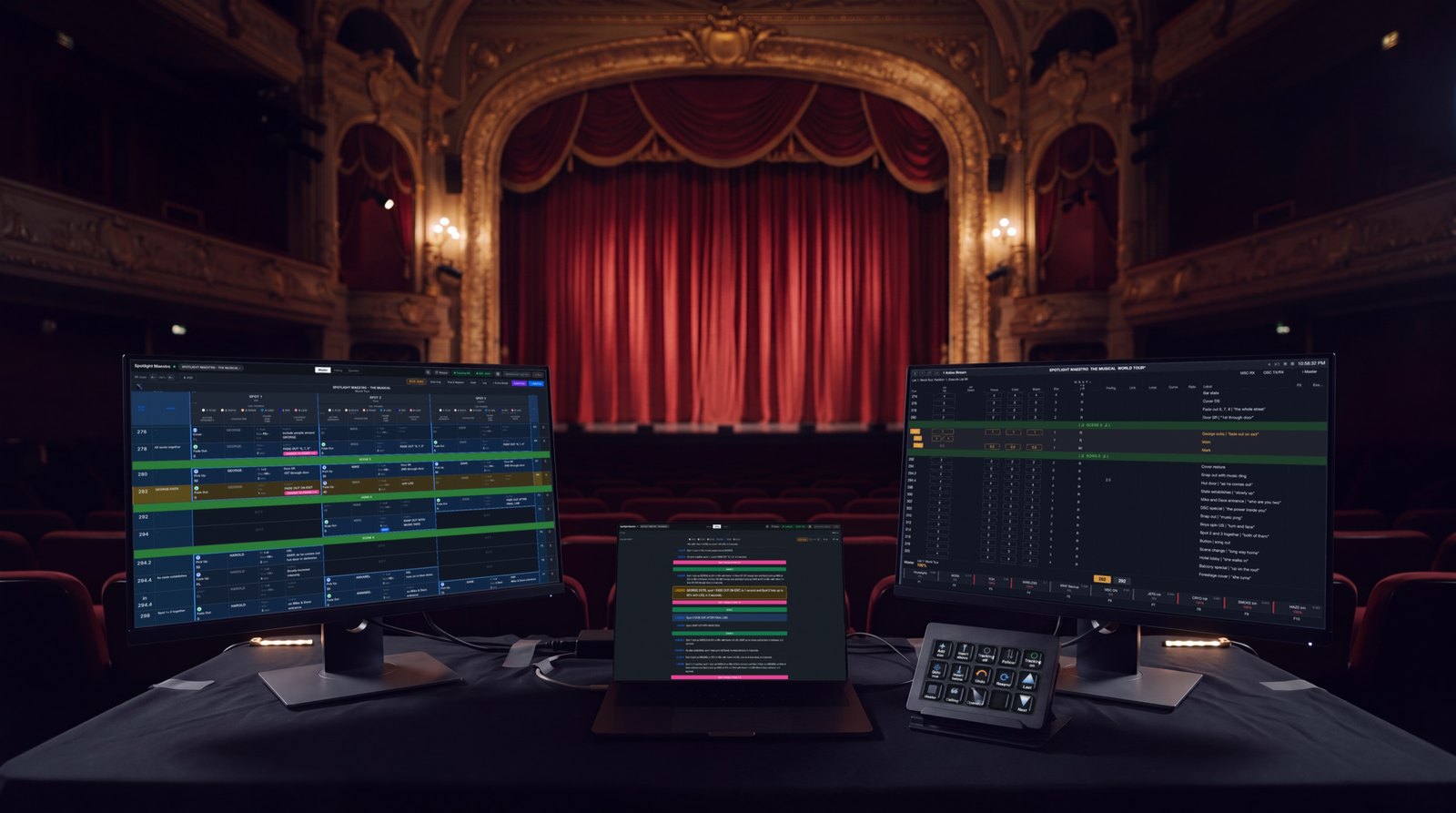
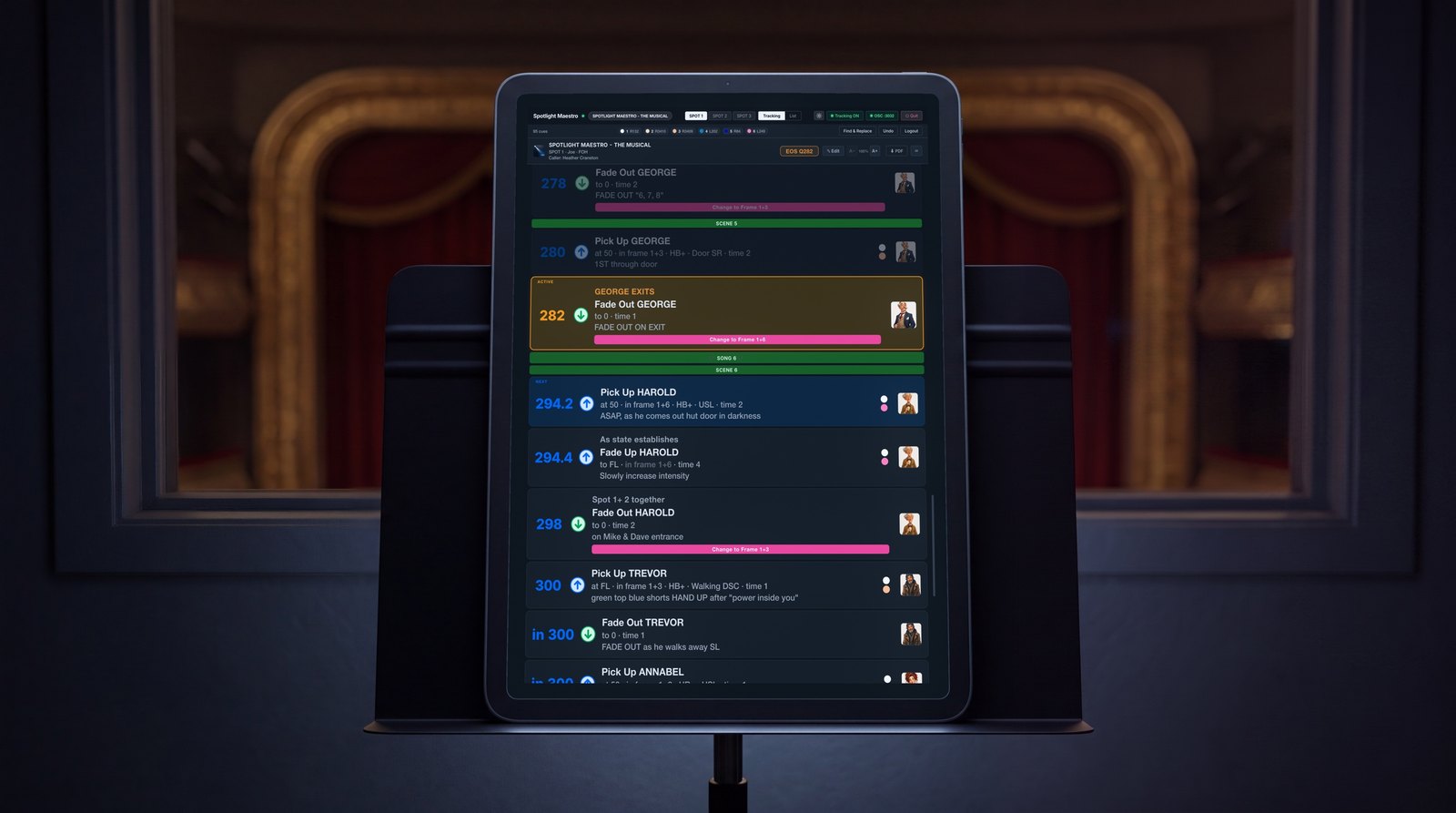
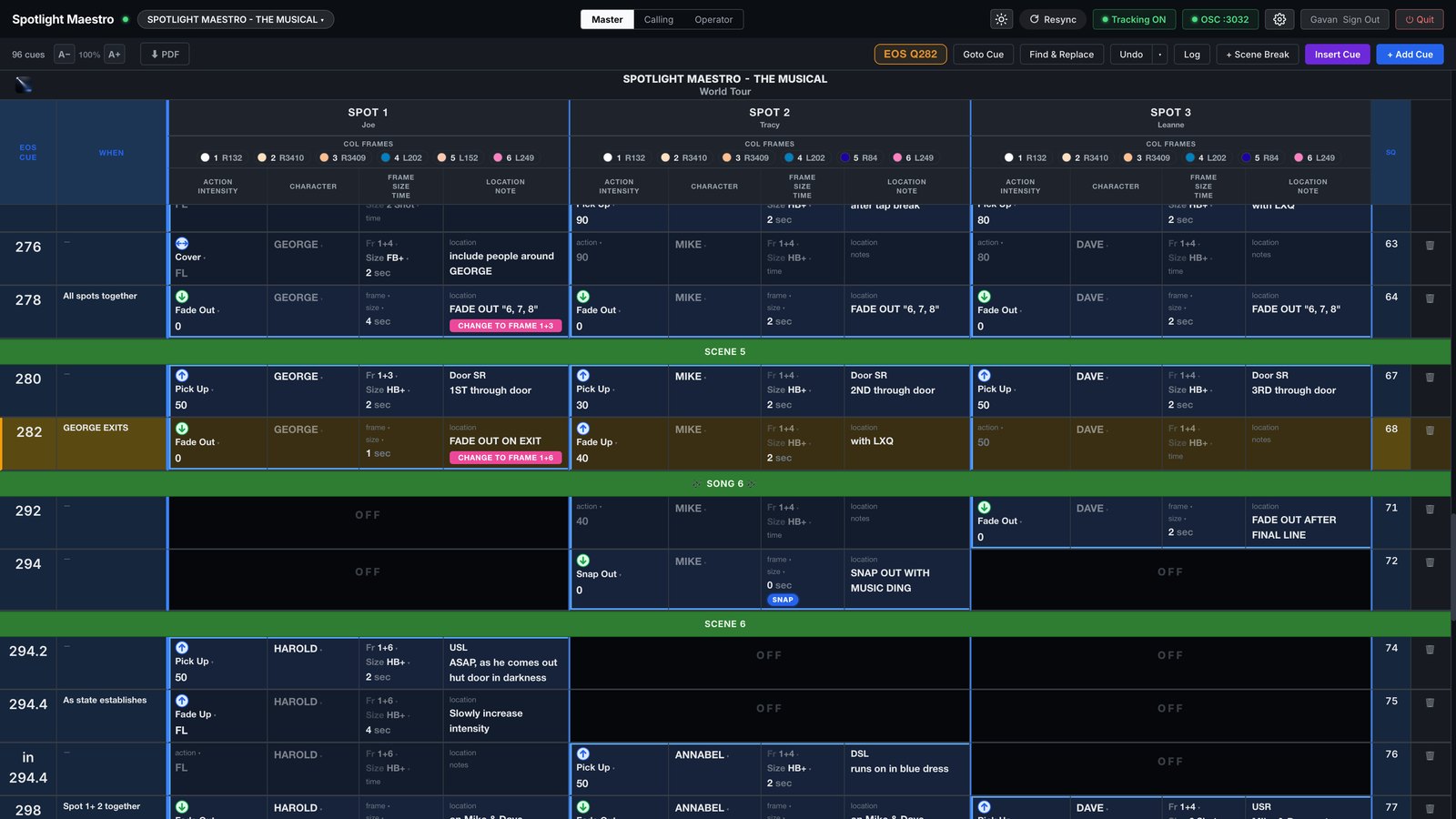
Spotlight Maestro runs on one computer on the lighting network. Every followspot operator, the spot caller and people at the production desk open it in a browser. Nothing is installed on their devices. When the lighting desk fires a cue, every screen in the venue scrolls to the matching spot cue, with the active cue held high and the next one lit and waiting. ETC Eos, grandMA2 and grandMA3 consoles are supported. Shows without a compatible console can drive the plot by hand, by keyboard, by footswitch or from a Stream Deck.
Every edit made in the plot is on the operators' screens instantly. Changes are logged against a name and a time, with a written undo history behind them. There is no save button, because every edit is already in the show file.
The app writes a calling script for the spot caller, with every cue as a spoken line. It prints operator sheets, the master plot and the calling script as PDFs, and it imports and exports CSV for shows that already have a plot in a spreadsheet. Three operator layouts cover the spot position: a large tracking plot for a tablet in portrait, a traditional list view for a laptop, and a summary sheet with colour loads, sizes and the cast with photographs.
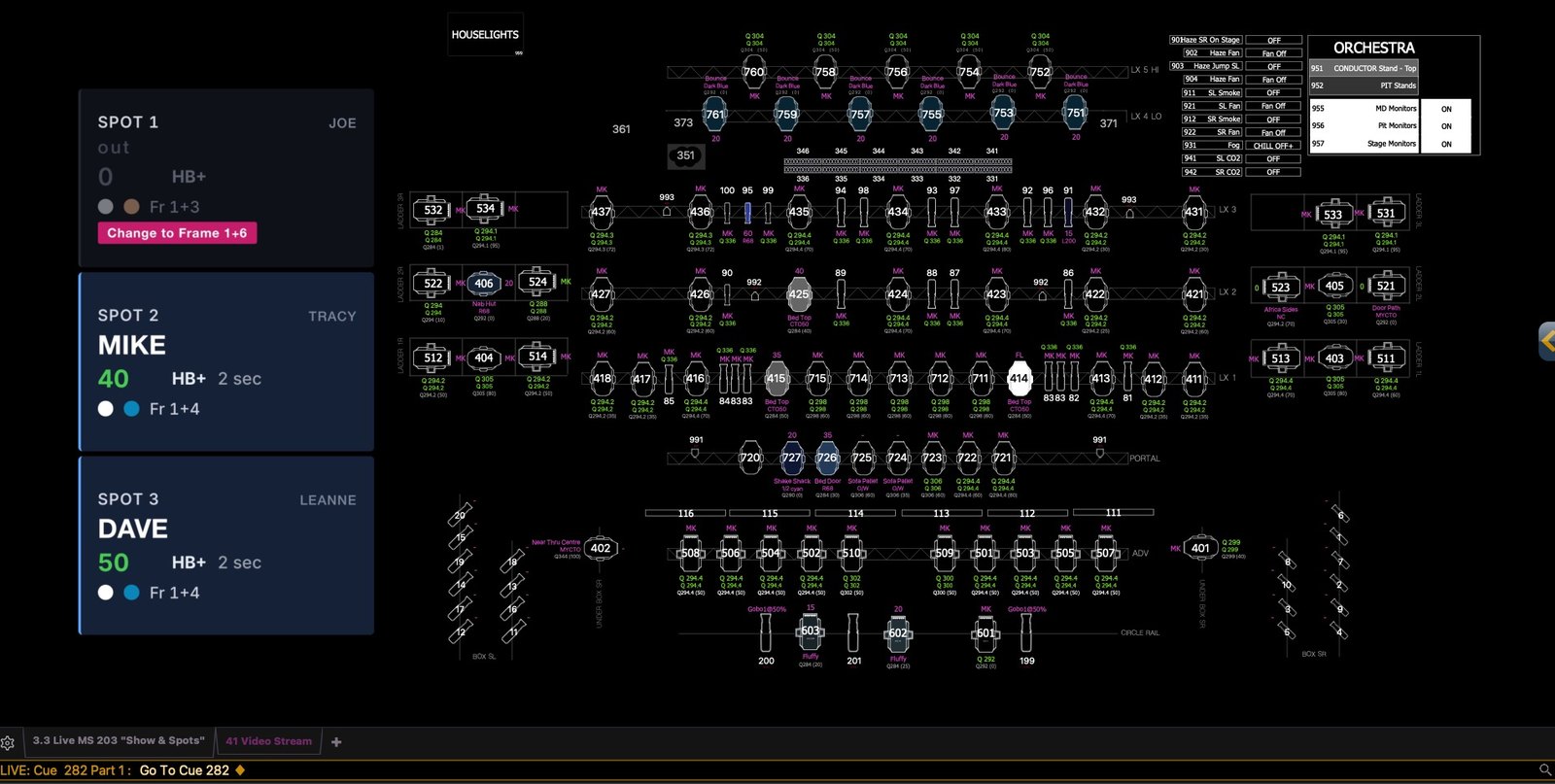
Spotlight Maestro has built-in settings for remote-control followspots, so those operators see exactly what they need. For the lighting console operator and the production desk, it can show the master plot, or put a live summary of what every spot is doing on the Eos itself, as a live video object on a magic sheet. The spot summary and the calling script can also be fed to show recording software such as VOR and KoalaCue, so the spot information is on the rehearsal or performance recordings alongside the cue and timing information. No other followspot software does this.
"I built Spotlight Maestro after years of watching operators run shows from paper plots that needed constant updating and reprinting," said Gavan Swift, the app's creator. "Every operator now reads from the same plot, live, on a tablet that is always up to date, and it follows the console so nobody has to hunt for the cue. Paper plots are consigned to the past.
Spotlight Maestro is built for the lighting network. It never needs the internet, nothing loads from the web while it runs, and it works on fixed IP addresses or DHCP, wired or wireless. If a second copy of the app appears on the same network, every connected device shows a warning.
PRICING AND AVAILABILITY
Spotlight Maestro is licensed per production and bought outright, at US$60 per production plus local taxes. There is no subscription, and the licence covers every operator, every device and every computer the production uses. A free demo licence that never expires, with a fully plotted sample show, is available at spotlightmaestro.com/download. The app runs on macOS 11 or later and on Windows 11.
ABOUT SPOTLIGHT MAESTRO
Spotlight Maestro is made by Gavan Swift, a lighting designer whose work spans musicals, drama, opera, concerts and events. The app was built from the ground up as a professional followspot cueing system, and priced so that any production can use it, from a school hall to Broadway. More at spotlightmaestro.com.
A walkthrough video showing the download, the demo licence and the sample show is on YouTube: https://www.youtube.com/watch?v=V3x0Iloc97A
MEDIA CONTACT
Gavan Swift
followspot@spotlightmaestro.com
spotlightmaestro.com